
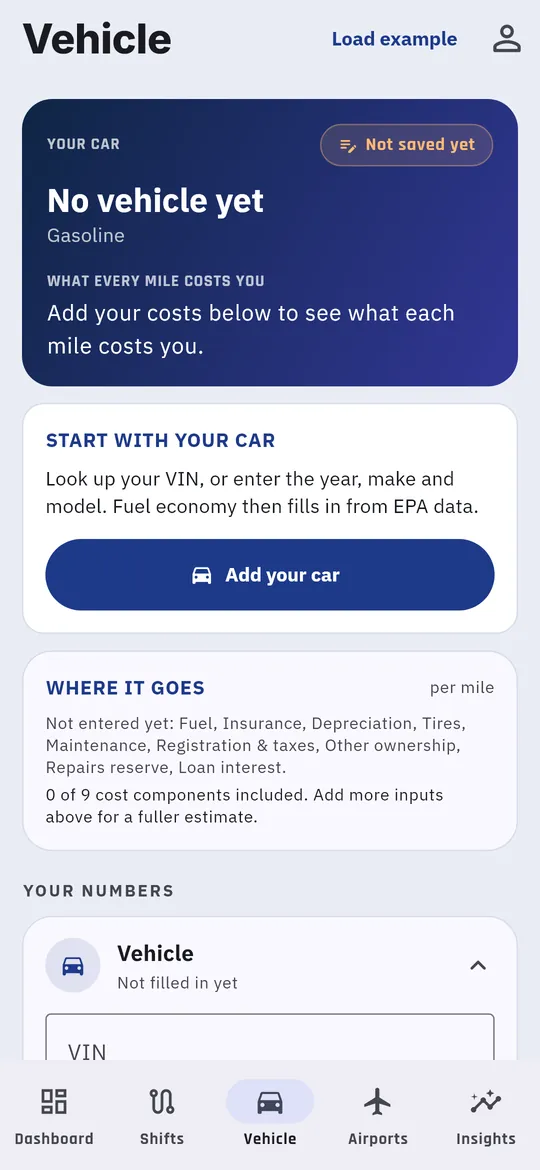
Your car’s costs are what turn miles into dollars. Until they’re in, profit and net per hour show as Pending.
Enter your car
- Open the Vehicle tab.
- Fill in the four sections under Your numbers. Tap a section to open it:
- Fuel: gasoline, hybrid or electric, your fuel economy and the fuel price. Auto-fill from EPA data looks up your car’s MPG. Update fuel price using my location fetches today’s local price.
- Vehicle: type your VIN and tap Look up VIN, or pick the year, make, model and trim.
- Purchase & value: what you paid, what it’s worth now, the odometer, and how many miles you expect it to last.
- Insurance & yearly costs: monthly insurance, plus yearly maintenance, tires, registration, repairs and loan interest.
- Tap Save Vehicle.
Not sure where to start? Before your first save, tap Load example at the top right. It fills in a sample car that you can then change to match yours.
When you change something later, tap Save changes or Discard.
What you’ll see
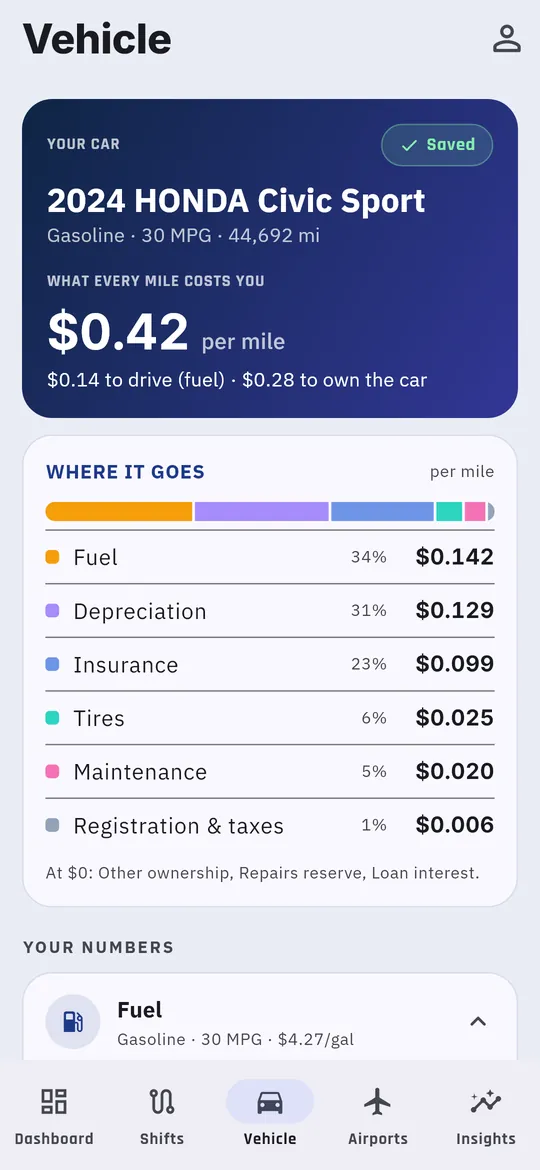
The top card shows What every mile costs you, split into the cost to drive (fuel) and the cost to own the car. Where it goes breaks that down into fuel, depreciation, insurance, tires, maintenance and registration.
Keep the fuel price current
When you start a shift, the app may ask Update today’s fuel price? Type the price at the pump and tap Update, or tap Skip. A current fuel price keeps your profit per mile accurate.