
A shift records your time and GPS miles from when you go online until you stop. The ride buttons tell the app which miles were empty, on the way to a pickup, or with a passenger.
Start a shift
- Tap Start Shift on the Dashboard or the Shifts tab.
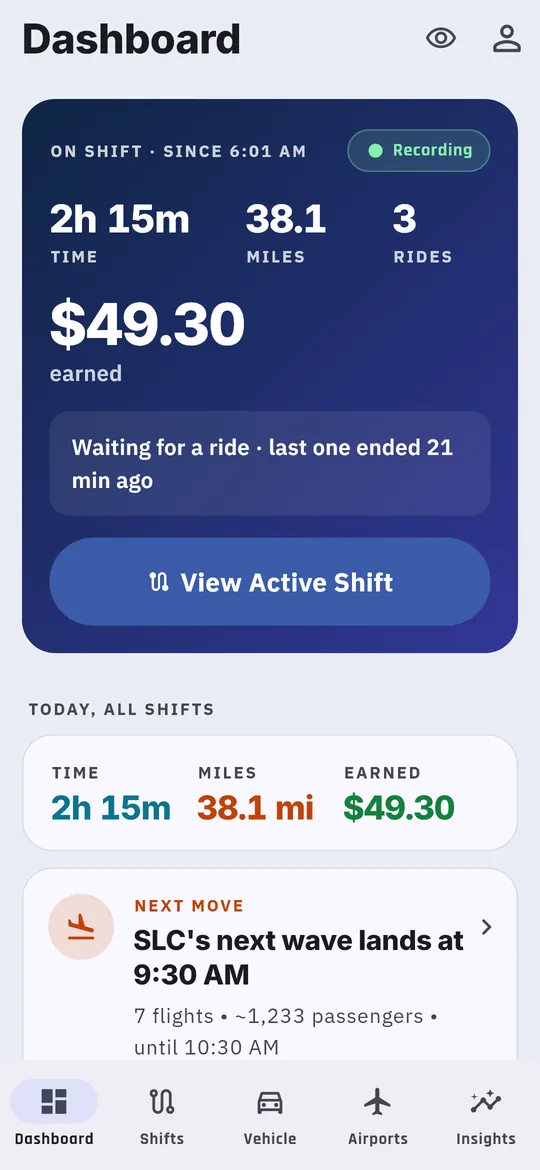
- The Dashboard’s top card switches to On shift with a green Recording pill. It shows your time, miles, rides and earnings so far, and View Active Shift.
Below it you’ll see Today, all shifts, the least an offer should pay (your accept line), and your Next move, such as when the next airport rush lands.
Log each ride
On the Shifts tab, or from the floating button:
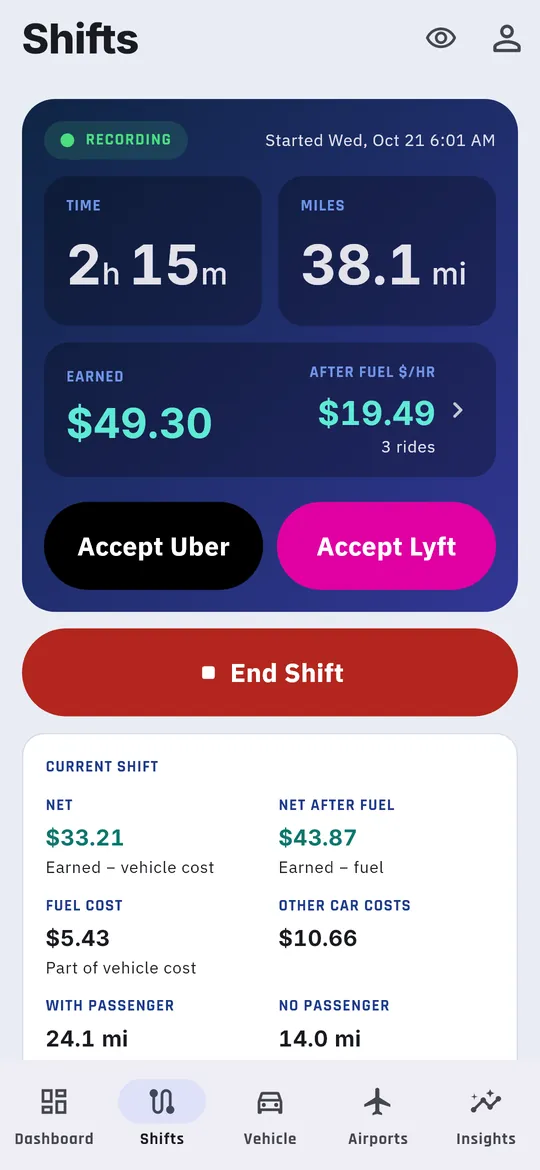
- When you accept a trip in Uber or Lyft, tap Accept Uber or Accept Lyft. A bar above the button reads Driving to pickup, with the distance so far.
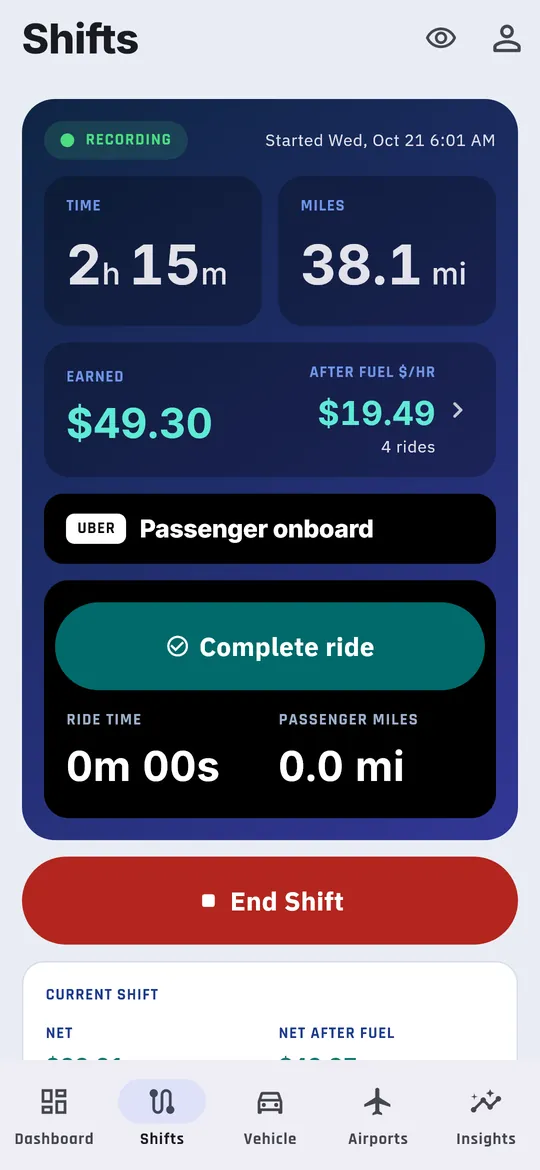
- When the rider gets in, tap Passenger picked up. The bar reads Passenger onboard.
- At drop-off, tap Complete ride. The buttons reset for the next trip.
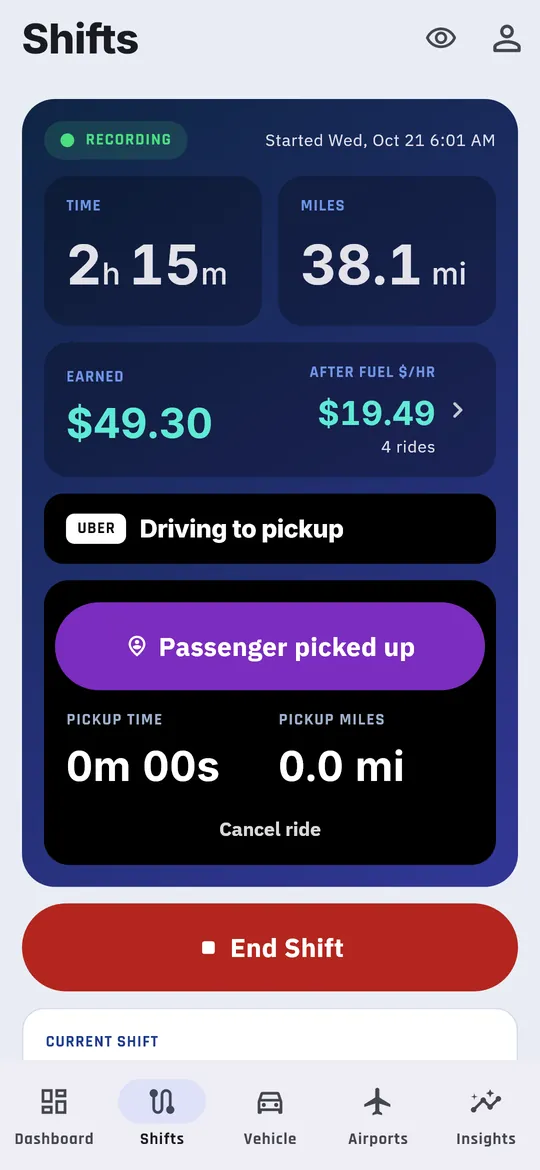
If the rider cancels before pickup, tap Cancel ride, then Yes, cancel ride (or Keep ride if you tapped it by mistake). Miles driven toward the pickup still count, as driving between rides.
You don’t type a fare at drop-off. Add fares later in one sitting, or import your weekly statement. See Add missing fares.
Read the live shift
The Shifts tab’s top card shows Time, Miles, Earned and After fuel $/hr, with your ride count.
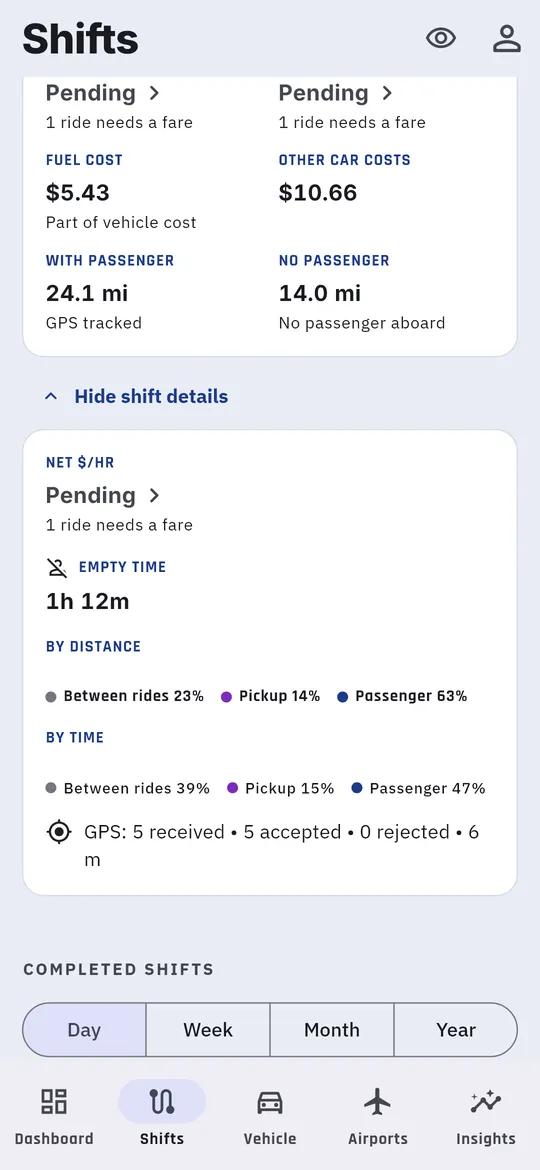
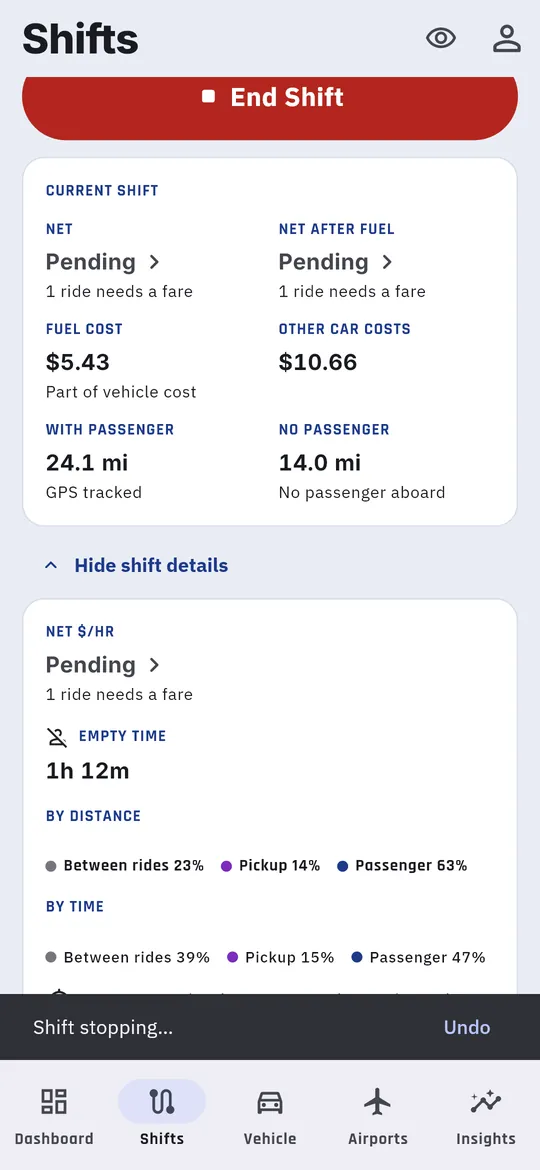
Under the End Shift button, the Current shift card adds:
| Row | Left | Right |
|---|---|---|
| Earnings | Net: earned minus every car cost | Net after fuel: earned minus fuel |
| Costs | Fuel cost | Other car costs: insurance, wear, depreciation and the rest |
| Miles | With passenger | No passenger |
Tap View all shift details for the full breakdown by distance and by time.
End the shift
- Tap End Shift, just below the live card on the Shifts tab.
- A Shift stopping message appears with Undo, in case you tapped it by mistake.
A few things to know:
- You can’t end a shift while a ride is in progress. Complete or cancel the ride first.
- If the shift ran less than 5 minutes, the app asks Shift seems incomplete. Choose End shift anyway or Keep shift running.
- The app can also remind you to end a shift when you get home, or when the phone hasn’t moved for a while. See Reminders.
Switch to another device
Signed in on a phone and a tablet? The device that isn’t recording shows This shift is running on another device, so mileage is being recorded there. To move the shift, open the Shifts tab on that device and tap Continue on this device, then Continue here. It stays the same shift.