
The Insights tab shows how your driving adds up over time. Open it from the tab bar.
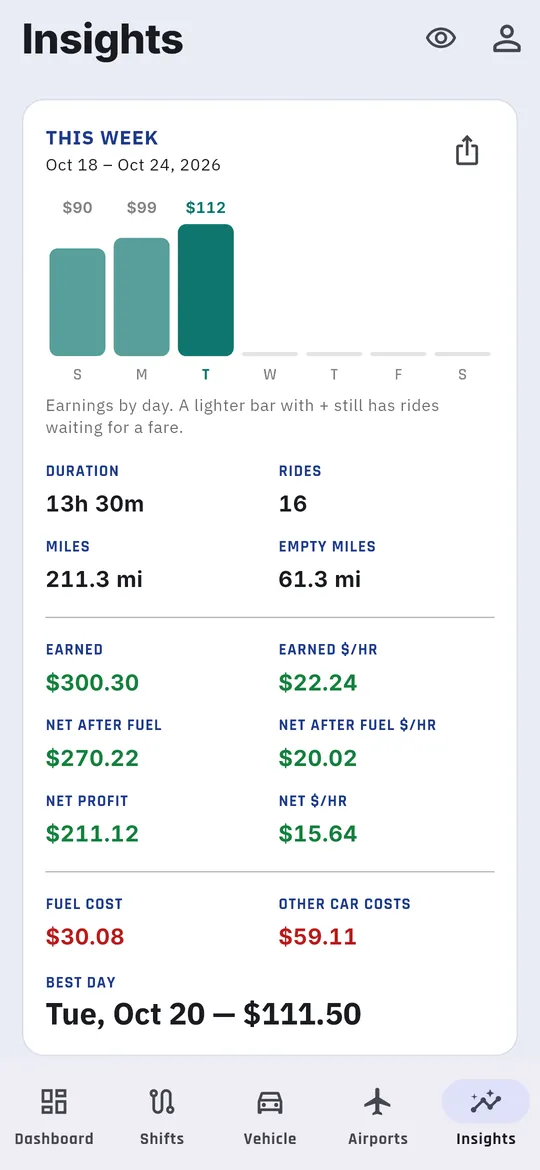
This week
This week covers Sunday through Saturday, with the dates shown. It totals your time, miles, rides, miles with no passenger, earnings, costs, net profit, net per hour, and your best day so far. The bar chart shows earnings by day. A lighter bar marked + still has rides waiting for a fare.
Last week’s story
Just below, Last week’s story sums up last week in a few lines: what you earned and from how many rides, your best day, your top platform, the miles and hours tracked, net per hour, and how it compared with the week before.
Last 8 weeks
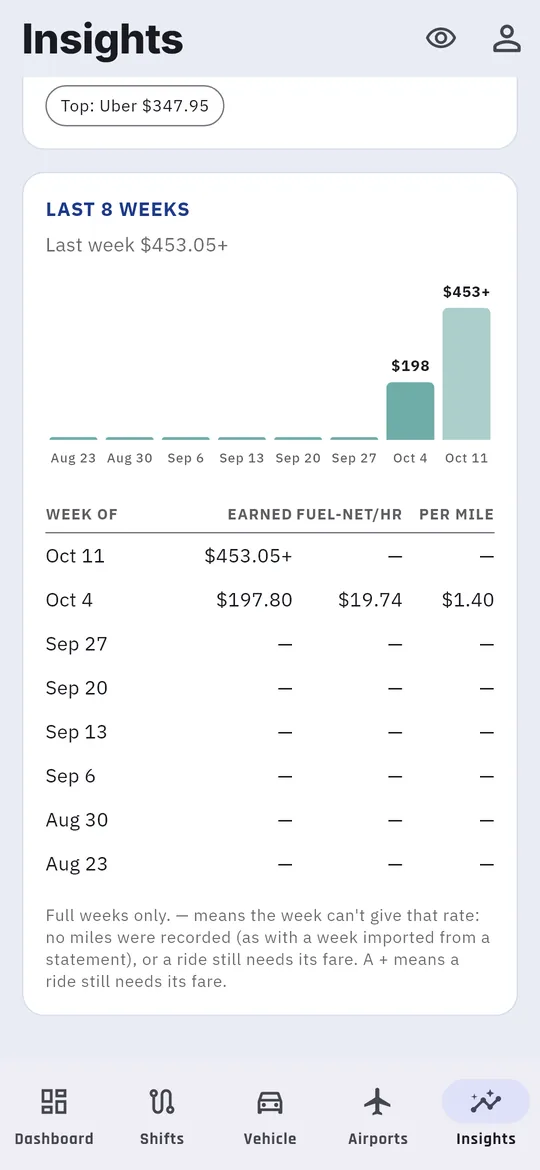
Last 8 weeks puts each full week side by side.
- The bars show what you earned each week, labeled with the amount. Last week is the brightest.
- The table lists each week, newest first: Earned, Fuel-net/hr (earnings after fuel, per hour) and Per mile.
- A — means that week can’t give the rate, for example a week imported from a statement with no miles recorded. A + means a ride that week still needs its fare, so the total is a floor.
Your weekday shifts
Your [weekday] shifts compares today with the same weekday in past weeks: average net per hour, total miles, vehicle cost and rides.