
RideshareIQ keeps your mileage log and expenses as you go, so tax time is a few taps. None of this is tax advice; check it with your tax preparer.
Tax summary
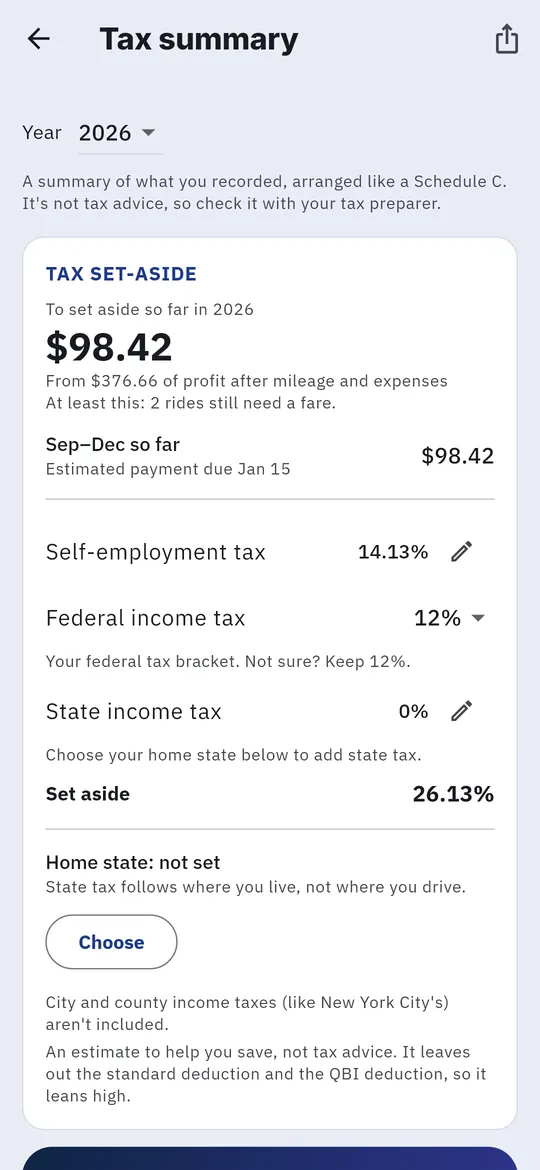
- Tap the person icon, then Expenses, then the tax icon at the top to open Tax summary.
- Pick a Year.
- Review your Mileage deduction (business miles times the standard rate), your totals laid out like Schedule C, the car costs you recorded, and your receipts.
- Tap Share with tax preparer, or Share receipts (zip) to send the receipt images.
Mileage log
- Tap the person icon, then Tax mileage log.
- Choose the year. You get a spreadsheet of that year’s business miles, ready for taxes. Drives you marked business under Drives outside shifts are included.
Set money aside each week
The Monday Wrap up last week on the Dashboard suggests how much of last week’s profit to put in savings for taxes. It’s an estimate to help you save.
Export everything
Account → Export all my data gives you your shifts, rides and miles as spreadsheets.