
Tolls, parking, a car wash, your phone bill: what you pay for driving lowers your taxes. Expenses are a tax record only; your profit figures already count the car’s running costs per mile.
Add an expense
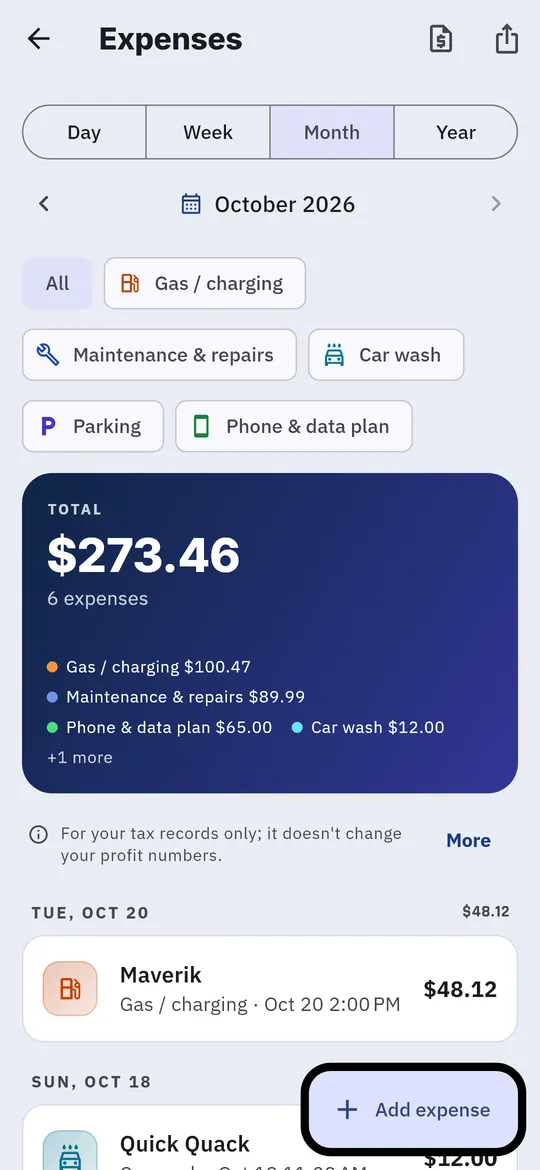
- Tap the person icon, then Expenses, then Add expense.
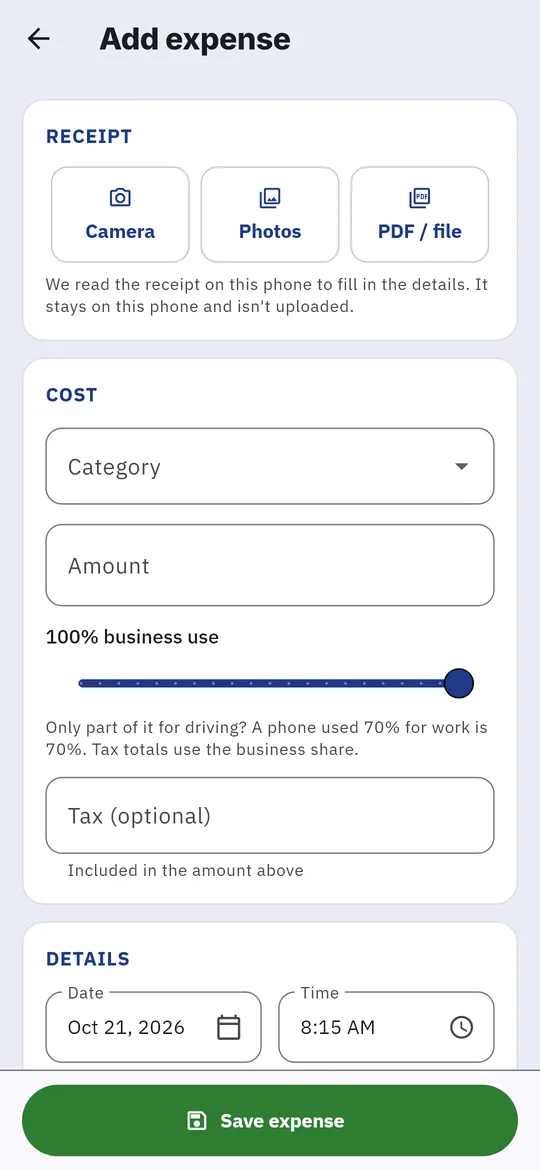
- To fill it in from a receipt, tap Camera, Photos or PDF / file. The receipt is read on your phone and isn’t uploaded.
- Check the Category, Amount, date and time. Add a vendor, notes or tax if you like.
- For something you only partly use for driving, such as a phone plan, set the business use slider, for example to 70%.
- For bills like your phone plan, turn on Repeats monthly.
- Tap Save expense.
If it looks like one you’ve already entered, the app asks Possible duplicate. Choose Don’t add or Add anyway.
Find an expense
The Expenses list filters by period and category, with a total at the top.