
Setup takes about five minutes. After this, set up your car so every mile has a real cost.
Install
- iPhone: accept the TestFlight invitation, then install RideshareIQ from TestFlight.
- Android: install the RideshareIQ test build you were sent.
When the app first opens it asks to send notifications. Allow them. RideshareIQ uses notifications to tell you if mileage tracking stops, and to alert you before an airport rush.
Sign in (optional)
Every feature works without an account. Signing in backs up your car, shifts and settings, and keeps a phone and tablet in step.
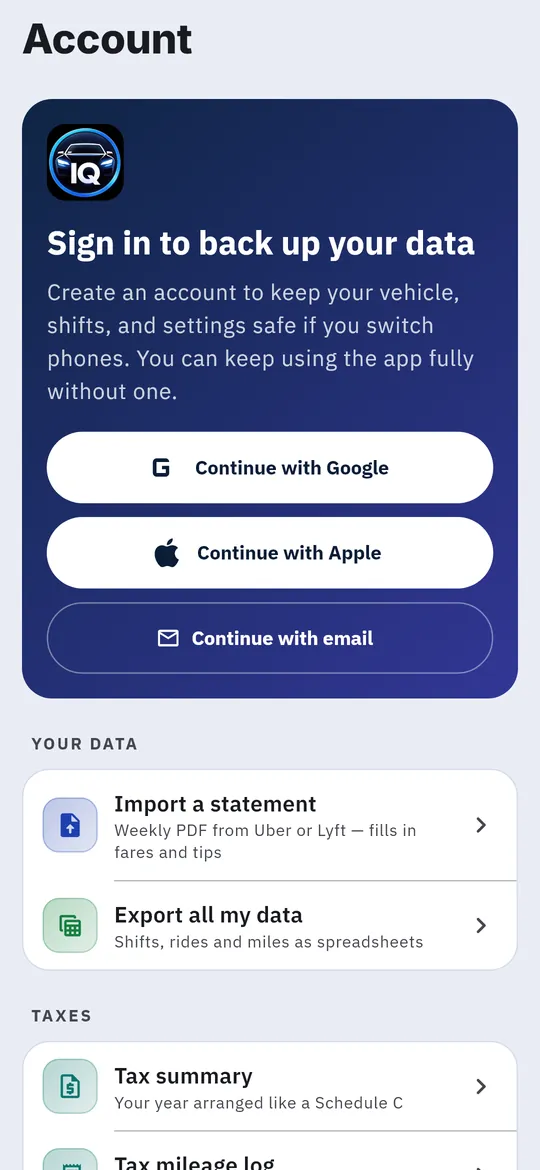
- Tap the person icon at the top right of any tab to open Account.
- Choose Continue with Google, Continue with Apple or Continue with email.
- For email, enter your address and password and tap Sign in. New here? Tap Don’t have an account? Create one. Forgot your password? Tap Forgot password?
Allow location
RideshareIQ measures your miles with GPS, so it needs your location while Uber or Lyft is on screen.
- The first time you tap Start Shift, choose Allow all the time (on iPhone, Always).
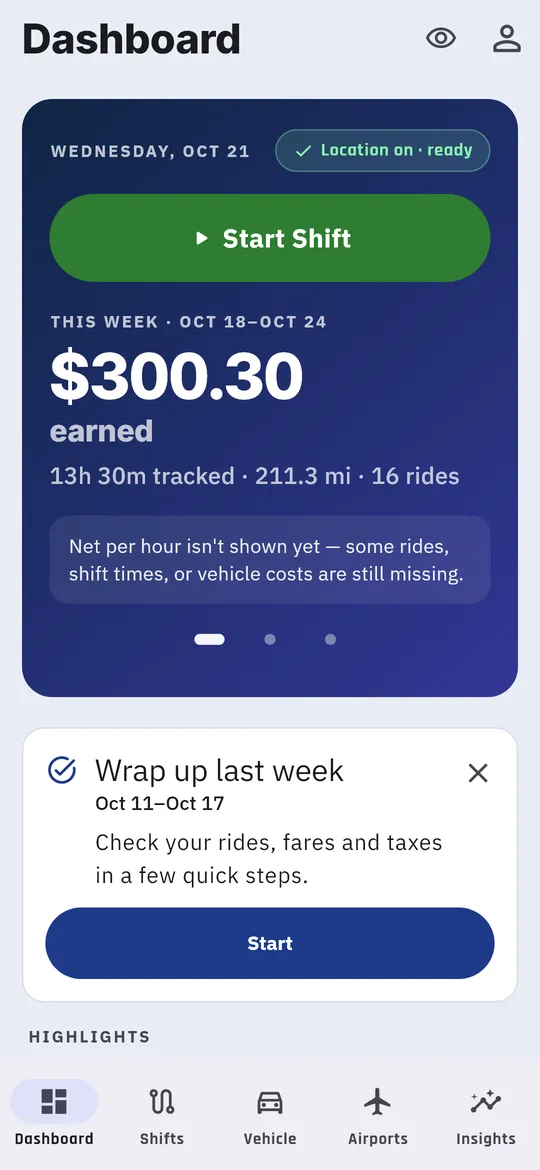
- Check the status line on the Dashboard. Location on · ready means you’re set.
- If it says Allow location all the time or Location not allowed, miles won’t record in the background. Change RideshareIQ’s location access in your phone’s Settings.
Two Android settings worth turning on
The Shifts tab may offer these once. Turn both on:
- Turn on the floating shift button. A button that floats over Uber and Lyft, so you can mark a pickup or complete a ride without switching apps. See Floating button and voice.
- Keep shift handoff reliable. Tap Allow unrestricted background so Android doesn’t pause tracking to save battery.
Find your way around
Five tabs run along the bottom of the screen:
| Tab | What it’s for |
|---|---|
| Dashboard | Start a shift, see today and last week, and fill gaps in your data. During a shift it shows your live totals and your next move. |
| Shifts | Run the live shift and browse finished shifts by day, week, month or year. |
| Vehicle | Your car and what every mile costs you to drive and own. |
| Airports | When the next rush of arriving passengers lands nearby, and whether it’s worth the drive. |
| Insights | This week, last week’s story and your last 8 weeks. |
Two icons sit at the top right:
- Eye icon: tap it to hide dollar amounts when a passenger can see your phone. Tap again to show them.
- Person icon: opens Account, for sign-in, statement import, expenses, reminders, data export and help.