
Everything here is under Account: tap the person icon at the top right of any tab.
Preferences
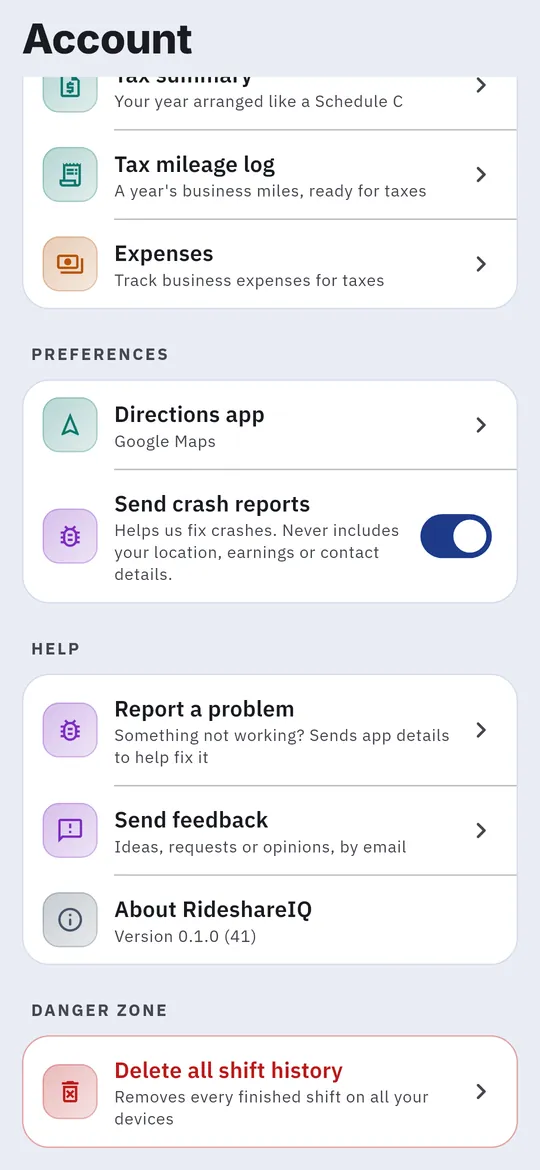
- Directions app: open airport directions in Google Maps or Waze.
- Track drives outside shifts: see Track drives outside shifts.
- Reminders: see Shift reminders.
- Send crash reports: on by default. Turn it off if you’d rather not send them.
Your data
| Row | What it does |
|---|---|
| Import a statement | Adds fares and tips from Uber or Lyft weekly PDFs. See Add missing fares. |
| Expenses | Your expense log and tax summary. |
| Export all my data | Your shifts, rides and miles as spreadsheets. |
| Tax mileage log | A year’s business miles, ready for taxes. |
Help
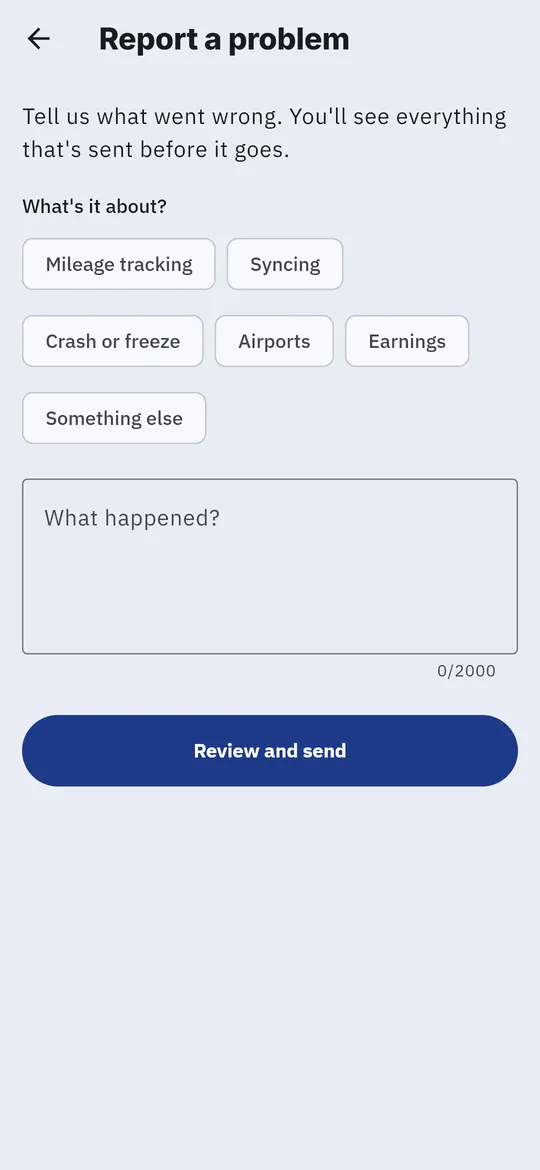
- Report a problem: choose what it’s about, then type or tap Speak to describe it. You can also record a voice clip. Tap Review and send to see exactly what will be sent, then Send report.
- Send feedback: email an idea or a problem.
- About RideshareIQ: your app version. Include it when you report a problem.
Signing out and deleting
- Sign out: you can sign back in any time.
- Delete all shift history removes every finished shift on all your devices.
- Delete my account permanently deletes your account and all your shifts, rides, miles and earnings, in the cloud and on this phone.
Both deletes ask you to confirm and can’t be undone, so export your data first if you want a copy.
When something isn’t right
| What you see | What to do |
|---|---|
| Miles stay at 0, or Mileage tracking needs attention | Set location to Allow all the time (iPhone: Always). On Android, also tap Allow unrestricted background on the Shifts tab. Then tap Open Shifts. |
| A shift had a tracking gap | Tap Report a problem on that card so the gap can be looked into. |
| Net profit or net per hour says Pending | A ride needs a fare, or your car costs aren’t in. See Add missing fares and Set up your car. |
| You forgot to start a shift | Import that week’s statement. The trips are added as rides, without miles. |
| Airports says the outlook could not be refreshed | Check your connection and tap the refresh icon. If it keeps happening, report a problem. |
| A shift is running on your other device | On this device, open Shifts and tap Continue on this device, then Continue here. |
| Changes from another device haven’t appeared | Open Account and tap Sync now (signed in only). |
Still stuck? Open Account → Report a problem. You’ll see everything that’s sent before it goes.